Free Android app for small catering teams

Every catering job on one ticket – from menu to clean-up.

Plan private parties, weddings and corporate events: the menu and what it costs, the shopping list, the van, the timeline, the checklist and the budget. On your phone, without an account.

Coming soon to Google Play

Catering Event Operations 1.0.0 for Android

  • No account
  • No adverts
  • Works offline
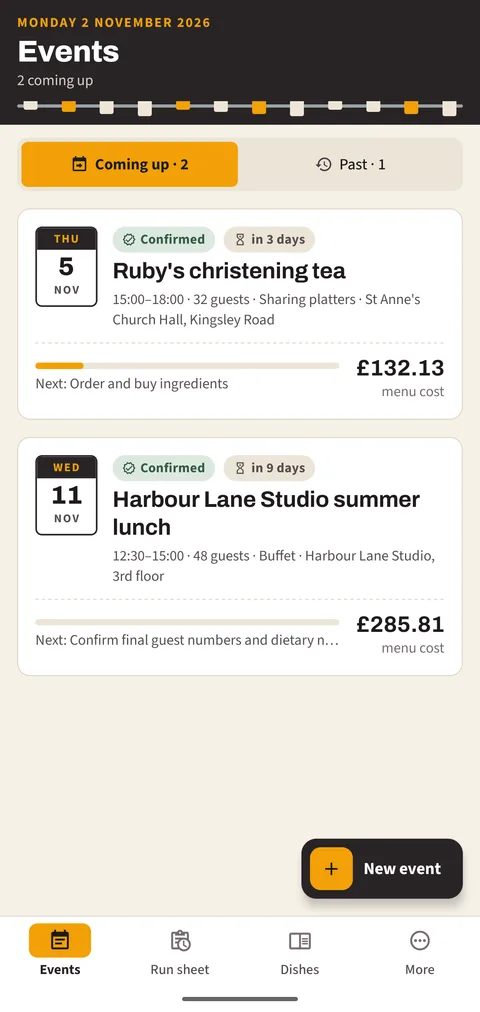
The events list with two upcoming catering jobs, their dates, guests, readiness and menu cost
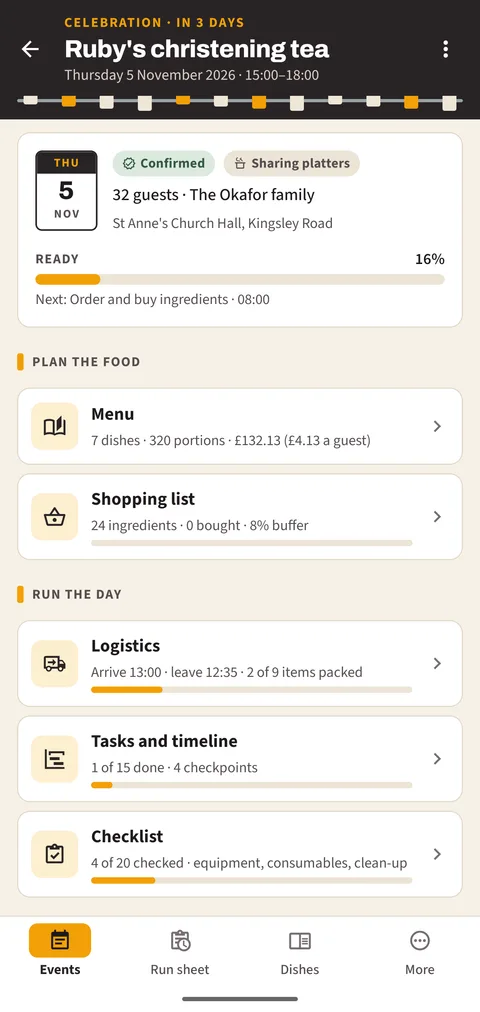
The hub of a christening tea with menu, shopping list, logistics and tasks
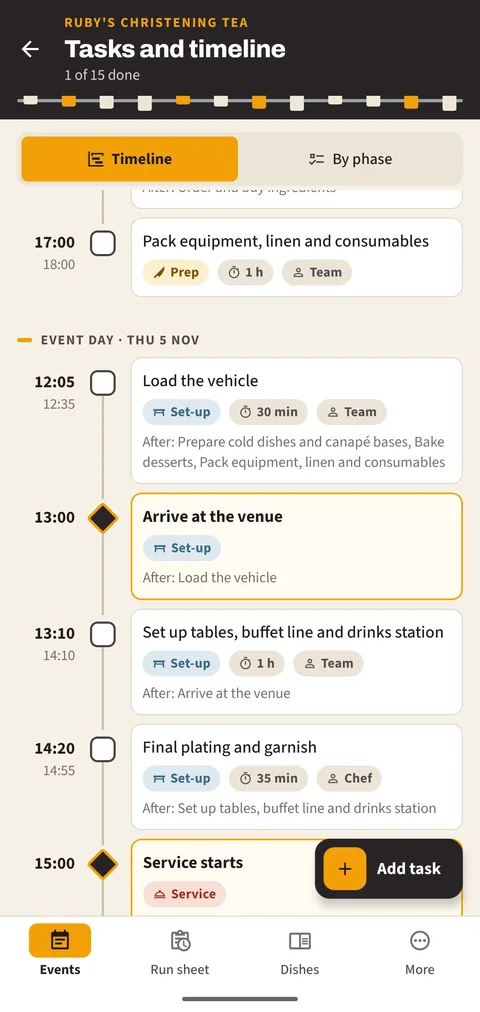
The timeline of an event with tasks by time, a checkpoint and dependencies

The run of an event

Four phases, one timeline

  1. 01 Days before

    Preparation

    Confirm numbers, order ingredients, prepare cold dishes and bake.

  2. 02 Event day

    Setting up

    Load the van, arrive at the venue, set up the buffet line and plate.

  3. 03 Doors open

    Service

    Serve, keep the buffet topped up, clear and bring out desserts.

  4. 04 Afterwards

    Wrap-up

    Pack down, clean, hand the venue back and wash the equipment.

New events start with this plan of fifteen tasks, timed around your start time – change, delete or add tasks as you like.

No. 01Menu and costs

Build the menu, see the cost per guest

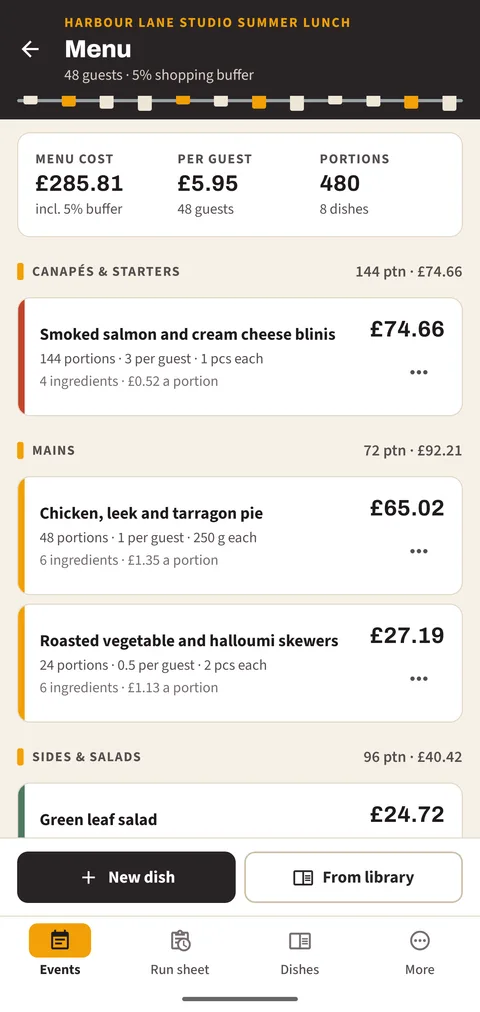
Arrange dishes by course – canapés and starters, mains, sides, desserts and soft drinks. Each dish has its ingredients for one portion and a planned quantity per guest or as a fixed number. The app works out the portions, the cost per portion and the cost of the whole menu.

  • Portions follow the guest count
  • Prices per kg, per litre or per item
  • Dish library with 12 starter dishes
The menu of an event by course with portions and costs

No. 02Shopping list

The shopping list adds itself up

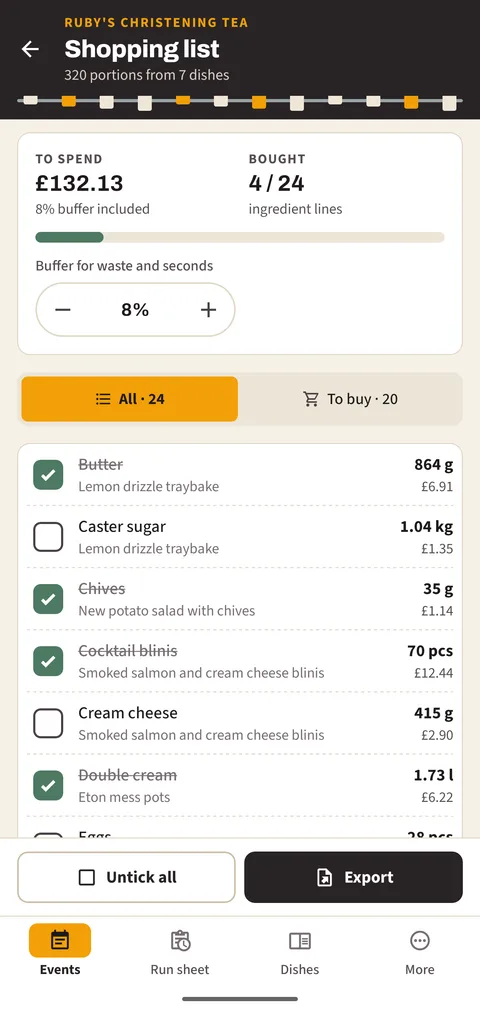
All ingredients of the menu become one list. The same ingredient from several dishes is one line, grams and kilograms are combined, and a buffer for waste and seconds goes on top. Tick lines off at the wholesaler.

  • Buffer from 0 to 30 per cent
  • Cost per line and in total
  • PDF or CSV for a supplier order
The shopping list with quantities, costs and ticks for bought items

No. 03Timeline

Tasks that know what they wait for

Start from the standard plan or write your own tasks with a day, a time, a length and an owner. Checkpoints such as arrival, service start and venue hand-back stand out, and a task that starts before the one it depends on has finished gets a warning.

  • Run sheet across all events
  • Overdue tasks shown in the app – no notifications
  • Move the whole plan when the start time changes
The timeline of an event with times, checkpoints and dependencies

No. 04Logistics

Load, leave and arrive on time

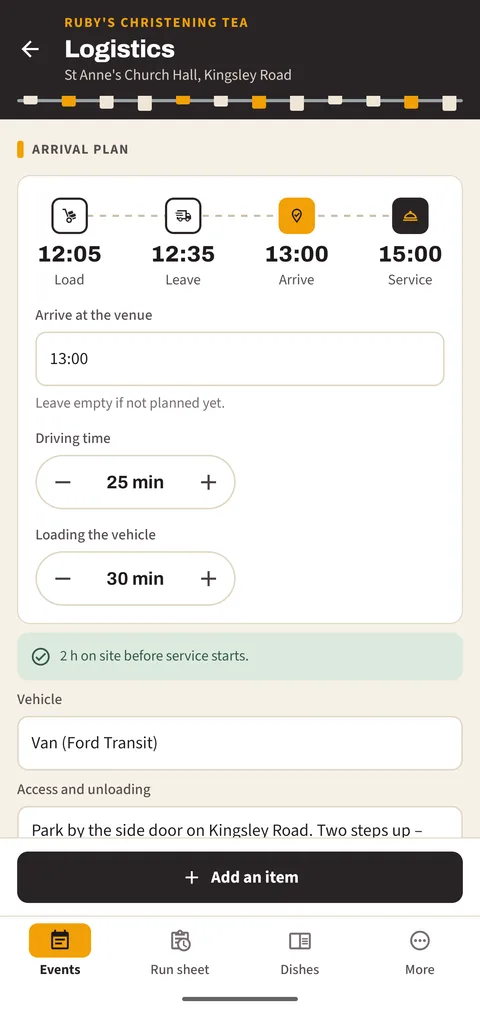
Enter the arrival time, driving time and loading time and the app tells you when to load and when to leave. Keep the equipment, packaging and transport lists with quantities and tick them as they go in the van.

  • Warning when set-up time is short
  • Access and unloading notes
  • Venue features at a glance
The logistics screen with the arrival plan and the equipment list

No. 05Budget

Forecast against what was actually spent

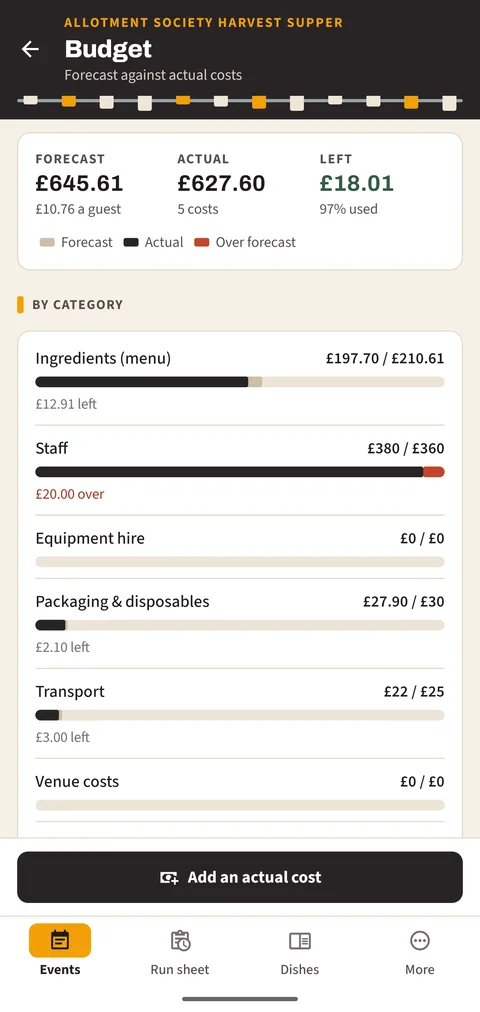
Set a forecast for ingredients, staff, equipment hire, packaging, transport and venue costs. The ingredient forecast can follow the menu calculator. Add costs as receipts come in and see the difference for every category.

  • Over-budget categories marked
  • Cost per guest
  • Budget as CSV
The budget with forecast and actual costs by category

And on the day

Checklist

Equipment, consumables and clean-up after the event, ready to tick on the day.

Photos and notes

Photos of the buffet and table settings, and notes on what to change next time.

Repeat orders

Copy an event to a new date with its menu, tasks and lists – ticks cleared.

PDF and CSV

The full plan as PDF, work lists as CSV – made on the phone, shared where you choose.

The small print, in large type

Read the privacy policy

Questions

Is it really free?

Yes. There are no purchases, subscriptions or adverts, and no feature is locked.

Does it need the internet?

No. The app works fully offline and does not connect to any server.

Can my team see the plan?

Export the plan or a list as PDF or CSV and share it by e-mail or messenger. The app itself has no shared accounts.

Where do the prices come from?

You enter them per kg, per litre or per item. The starter dishes come with typical UK prices to edit.

Does it handle drinks?

Soft drinks, tea and coffee – the drinks course is meant for non-alcoholic drinks.

Can I move my events to a new phone?

Yes. Make a backup file in the app (with photos if you like), keep it somewhere safe and restore it on the new phone.

Plan the next job tonight.

Free, no account, no adverts. Questions? Write to [email protected].

Coming soon to Google Play